


How a Fake Spotify Billing Alert Is Reaching New Zealand Inboxes
Phishing emails impersonating Spotify's billing system are targeting New Zealand users to harvest account credentials or payment information.
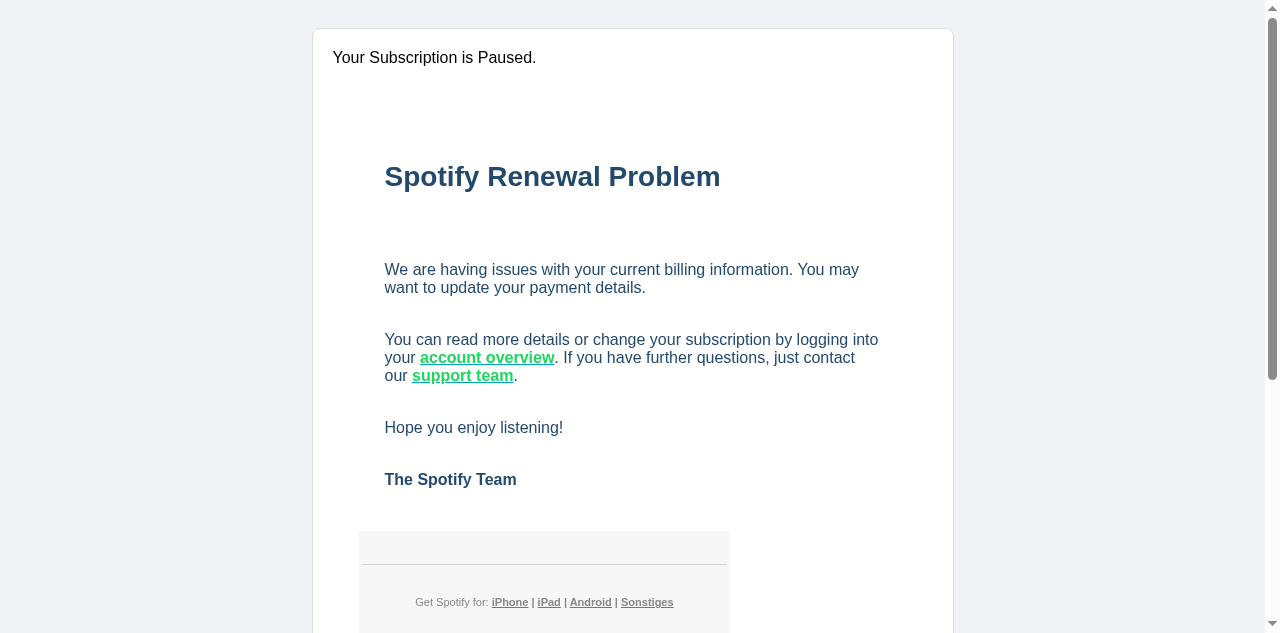
A phishing campaign impersonating Spotify is currently circulating, targeting individuals with a fabricated billing suspension notice. The message, delivered from a sender address routed through a HubSpot free email infrastructure domain, claims that the recipient's subscription has been paused due to unspecified issues with their current payment information. The sending address — originating from a domain associated with lgtel.fr and routed via eu1.hs-send.com — bears no legitimate relationship to Spotify's actual communication infrastructure.
The email body is deliberately sparse, employing minimal formatting to create an impression of an automated system notification. Recipients are directed to follow a link ostensibly leading to their account overview. That link resolves through a HubSpot free link-tracking domain, a mechanism commonly abused in phishing campaigns to obscure the true destination URL and evade reputation-based filtering. The final destination of that redirect was not a Spotify-controlled property.
This campaign follows a well-established credential harvesting pattern in which urgency around billing or account access is used to prompt recipients into entering login credentials on a fraudulent page. Individuals who interact with the link and submit their Spotify username and password risk immediate account compromise, which may extend to any other service where those credentials are reused. Organisations with bring-your-own-device policies or shared streaming service arrangements should be aware that compromised personal credentials can intersect with workplace security postures.
The abuse of legitimate marketing infrastructure — in this case, HubSpot's free-tier sending and link-tracking services — is a deliberate technique used to improve deliverability and lend surface-level credibility to malicious messages. Recipients should treat any unsolicited billing notification with scepticism, independently navigate to the service in question through a known-good URL, and verify account status directly rather than following embedded links.
The domain the message claims to be from. Fresh registrations and known-bad reputations are the strongest technical tells of a spoofed sender.
Practical steps you or your IT provider can take to reduce the risk from this kind of threat.
• Do not click any links or buttons in the email, including any "Verify Account," "Log In," or "Claim Offer" calls to action, as they likely lead to credential-harvesting pages.
• Report the email as phishing using your email client's built-in reporting tool (e.g., "Report Phishing" in Gmail/Outlook) and forward it to Spotify's official abuse address at abuse@spotify.com.
• Delete the email immediately from your inbox and trash/deleted items folder to prevent accidental interaction in the future.
• Change your Spotify password and enable two-factor authentication (2FA) on your account if you have already clicked any links or entered credentials, and check for unrecognized devices or activity in your account settings.
• Block the sending domain (hubspotfree.eu1.hs-send.com) at your email gateway or spam filter level, and flag it to your IT/security team so organization-wide rules can be applied to protect other users.
See what a genuine Spotify message looks like, the real sender domain, the real link destination, and where to report a fake.