


How a Fake PayPal Account Notice Is Reaching Your Staff
PayPal-spoofed phishing emails target staff with fraudulent account notices to harvest login credentials.
If your staff interact with this email, they risk surrendering their PayPal credentials to attackers who can immediately access linked payment methods, drain balances, and exploit saved financial details. For organisations where staff use PayPal for business expenses or supplier payments, a single compromised account can cascade into unauthorised transactions and reputational harm that is difficult to unwind.
This campaign was detected circulating across multiple local organisations within a narrow window, suggesting an automated distribution burst rather than a targeted manual send. A spike in NZ inboxes carrying this particular account-verification lure points to a coordinated effort to maximise reach before detection and blocking can take effect.
What makes this campaign deceptive is the combination of a convincing PayPal-branded HTML template — complete with familiar layout, tone, and a prominent call-to-action button — sent from a domain that has no affiliation with PayPal whatsoever. The sending domain belongs to an unrelated commercial entity, and while DKIM passes (suggesting the message is technically authentic to that domain), SPF produces a soft fail and DMARC returns no policy at all, meaning composite authentication fails outright. The result is a message that looks legitimate at a glance but carries none of the authentication markers a genuine PayPal communication would.
Noteworthy here is the use of a postmaster-prefixed sender address, a convention normally associated with mail server administration rather than customer-facing communications. This choice may be a deliberate attempt to appear infrastructural and bypass heuristic filters that scrutinise marketing or transactional sender patterns. The absence of any body text — with all content rendered exclusively in HTML — further suggests the campaign is engineered to evade plain-text content scanning while presenting a polished visual experience to the recipient.
The domain the message claims to be from. Fresh registrations and known-bad reputations are the strongest technical tells of a spoofed sender.
Where a reply to this message would actually be delivered. When it differs from the visible From address, an unsuspecting reply lands with the attacker instead.
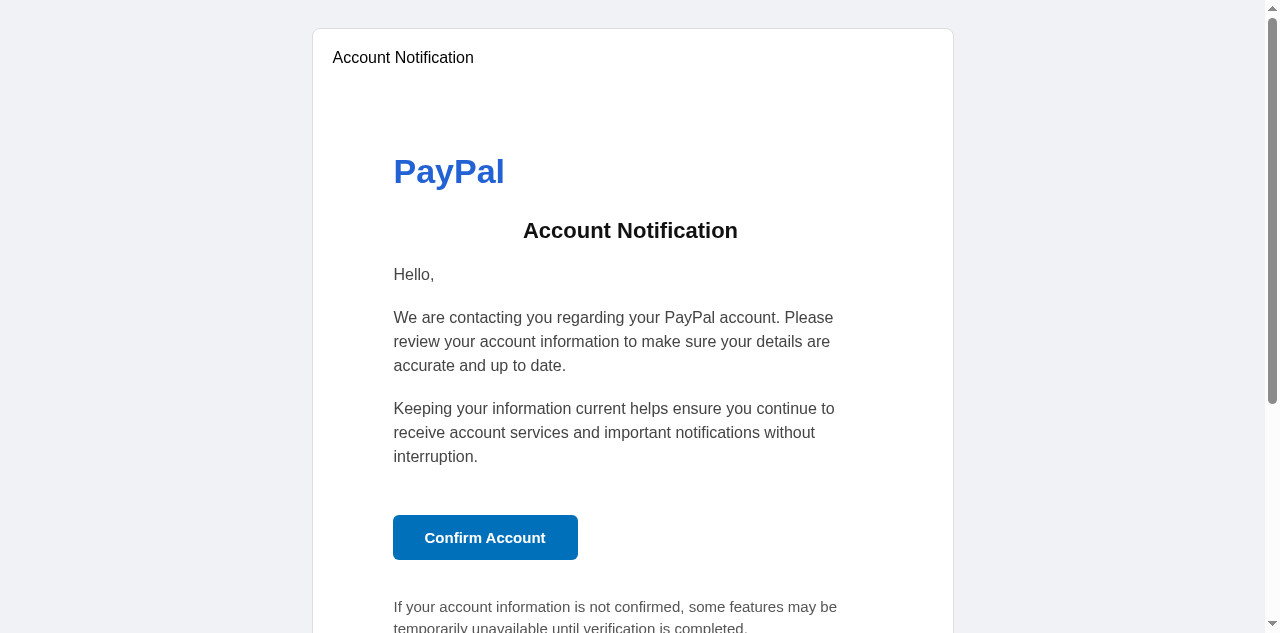
Practical steps you or your IT provider can take to reduce the risk from this kind of threat.
- Verify the sender's email address carefully before clicking any links — legitimate PayPal communications will always come from an @paypal.com domain, never from suspicious addresses like postmaster@modandtone.com
- Avoid clicking any links or downloading attachments in emails with urgent subject lines such as "Action Required: Verify Your Account," as this is a common tactic used to pressure recipients into acting without thinking
- Report the phishing email to CERT NZ (cert.govt.nz) and forward it to PayPal's official phishing reporting address (spoof@paypal.com) to help protect other New Zealand businesses
- Log in to your PayPal account directly by typing paypal.com into your browser to check whether any genuine account action is actually required, rather than following any links provided in the email
- Educate your staff to recognise phishing red flags — including mismatched sender domains, spoofed brand logos, and urgency-based language — and establish a clear internal process for reporting suspicious emails to your IT team or manager

See what a genuine PayPal message looks like, the real sender domain, the real link destination, and where to report a fake.